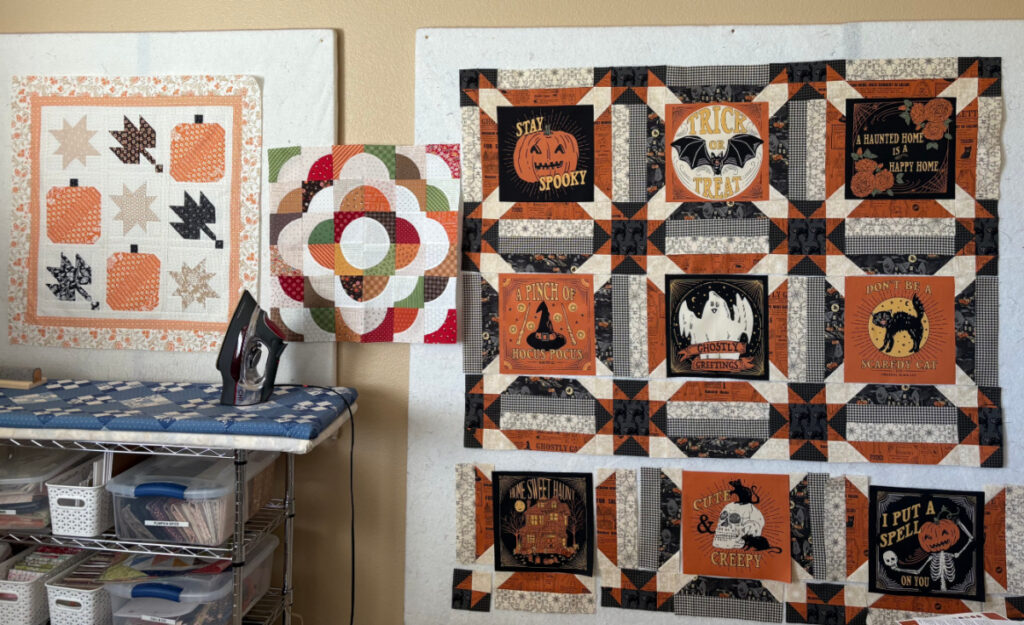
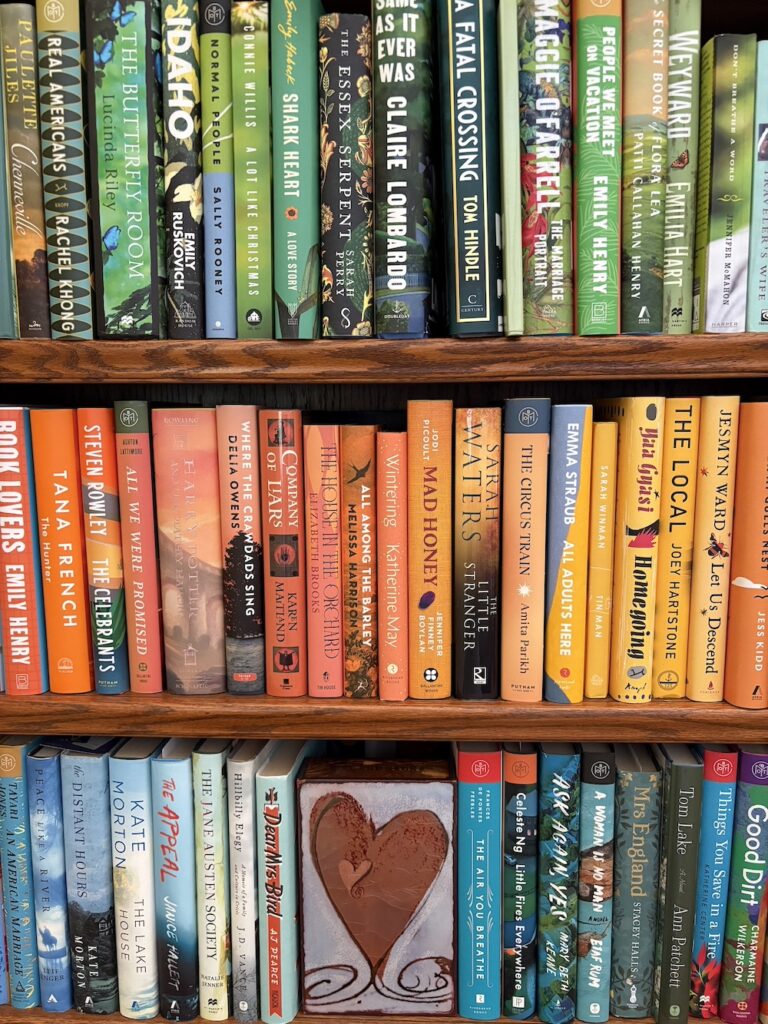
I promised to show you my completed fall projects today, and I have failed to do that completely. I fully intended to finish sewing the rows together for the Spooks and Spells quilt that you see on the right in the photo above, but that didn’t happen. Sara and I did a book review podcast yesterday afternoon, and all my plans fell by the wayside. Do give us a listen on whatever platform you listen to podcasts, or watch us in person on YouTube. The podcast and YT channel are called Reeding Between the Lines. We are discussing what we have read lately, plus all the spooky season books we have lined up for October.
What you see in the photo above, from left to right, is the Fat Quarter Shop free Autumn Nights sew-along project, a Drunkard’s Path table topper I made using curved templates from Baycreek Quilting, and finally, my almost all sewn together Spooks and Spells quilt blocks. I will get those sewn together asap, and there isn’t much to do, so it should be a quick job.
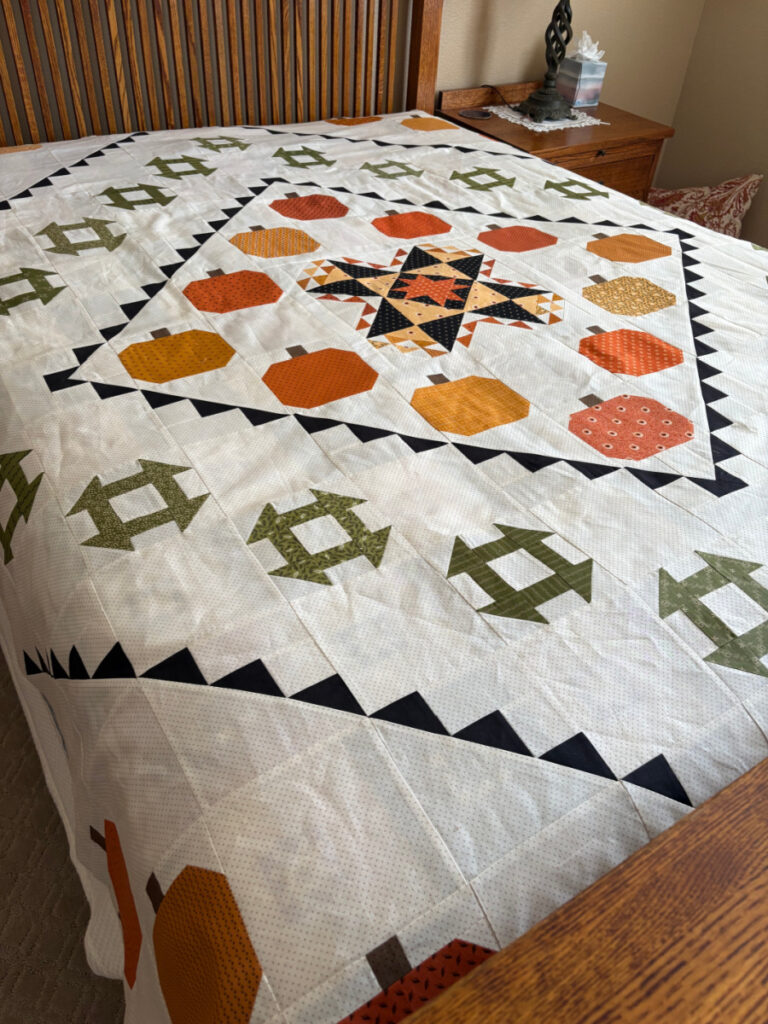
This quilt top is of course, my Pumpkin Spice Gatherings project from Primitive Gatherings. Even though it is as big as a circus tent, I think I will add a narrow outside border of the background fabric, just to finish things off.
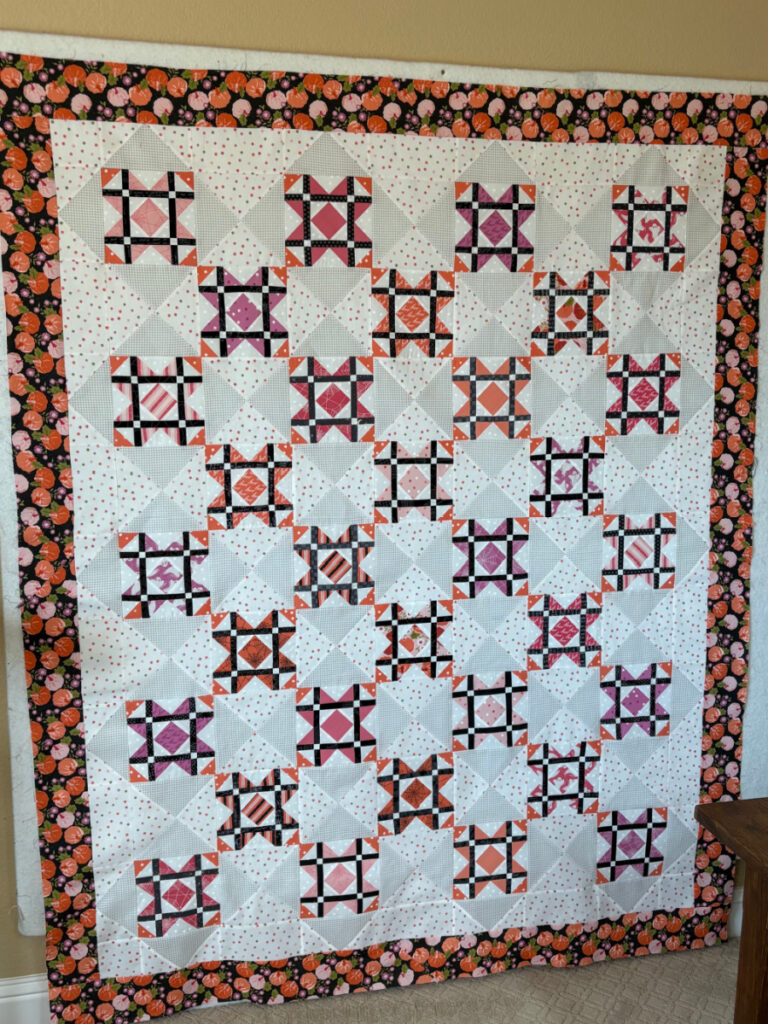
You all recognize this quilt top from my post a couple of weeks ago. It’s the Moonlight Quilt from Susan Ache’s book Halloween Memories. I am so happy to have finished this one!
On another subject entirely, I would like to ask your help with something. Several readers have mentioned to me that when they view my blog on their phone or in the email/newsletter format, they do not see the top photo of the post, only the ones below in the body of the post. People who view the post on my website itself seem to have no problems seeing all photos in their proper order. WordPress has something called Featured Image, which is the main photo at the top of the blog post. There is a certain procedure for setting up the featured image, which I have been following. For some reason, many people do not get to see that photo.
So what I have done today is skipped the “featured image” procedure and just inserted my main photo into the top of the post. Can you give me some feedback and let me know if you are able to see that photo? The first photo at the top of the post should be my sewing room with three fall projects on the design walls. Also let me know how you view my blog: on your phone, through the email/newsletter, a blog reading service, or from the website directly.
Thanks a million!
47 Responses
Yes, I could see the photo you mentioned. I view through email, usually on my iPad rather than a phone.
Yes, like Bonnie I read your post on my email on my iPad and then opened in my browser. I was able to see all pictures on both platforms. With that being said I love all your projects! You have inspired me to get started on my pendin projects 😊
I’m on my android phone and I see the picture.
I read your blog on my Android phone. I can see the photo of your three projects. And I love the Spooks and Spells – looks great!
All of these quilts are marvelous!
I usually read your blog on my desktop, so I can’t give you feedback about phone issues.
I read your posts thru your blog on my tablet. Everything is fine.
I usually read your blog in my mail on my iPad. I got today’s first picture and don’t remember having any problems in the past.
On a separate note, based on your Good Reads review I have just finished “Where the Lost Wander.” What a wonderful reading experience. Thank you for all your book reviews.
I check your blog on my computer every morning after I read the news and emails. Your fall quilts are lovely.
I read your blog on my Android – previously could not see the first picture, this morning I can see that first picture – yay. Hopefully this helps you solve the issue.
Love 💓 all your projects, they are beautiful! You are such an inspiration!!
I see the picture you mentioned. I have always seen the picture at the top of your post. I read your blog from an email on my laptop. the quilts are gorgeous, you do such beautiful work.
I see the photo in this post but not in the others. I get your emails and read on my phone or iPad. Love all of your Halloween projects!
The top photo is there today! Yea! Good problem solving!!
I see the top photo.
I read on my phone through email and could see it all. Your quilts are amazing!!
I’m pretty sure I’ve had no problem with the top picture. I read your blog/email on my laptop. Such comple Halloween quilts! And a nice job on all.
Such complex quilts…
I’ve been getting your email and experiencing the problem you mentioned but today I could see the top photo. I think you solved it!
I see the top photo. I view your blog on my desktop.
Love all your fall quilts! I get an email and before today, I had to click the blog title in order to see all the photos (viewing from my phone web browser). Today I can see all photos from my email without clicking through to your blog site. 🩷
I view you post through the newsletter link in my email. I’m one who hasn’t been getting the top photo but usually click on the title of your post and move to your website to see it. I did have the top photo today!
I read your blog on my iPhone. In the past, all I had to do was click on your post title to see the first picture. Today I didn’t need to do that.
Beautiful as usual, Nicole. And yep, I see the mentioned photo on my phone now.
Yes! I had the same problem, not being able to see the first photo, both on my Mac and iPad. So I had been clicking on the title to view it online, rather than in email. But today’s email has all the photos. Bravo for learning a new platform and thank you for sharing with all of us.
I also noticed this – if I read on my email, the top photo was missing. If I clicked on the title (perhaps it takes me to the blog?) it’s there. Today, both were the same! I’m impresses not only by your sewing output, but by your tech as well!
Lovely quilts! I follow you on my iPad, and haven’t had any problems. Btw, I am enjoying the new platform!
I see the photo of the three projects in the emails on both my phone and laptop. It might depend on the phone etc. Apple vs android??
I see the three pictures in an email. I view on my iPhone.
I saw the photo of the three projects at the top of the page in the email I receive.
3 photos on top appear whether reading on “feed-blitz” site or “sisters choice” blog site. have not experienced missing content picture problems in the past… same outcome either way. i will say that i do not see the picture of you on top if i read on “feed-blitz”. (which is fine, as that doesn’t change daily). i read on my computer using windows.
I see everything both on my phone and iPad! Love all your completed projects! Have a great weekend!
I view your blog on my desk top and see the 3 quilts photos. Love them all but the Drunkard’s Path is so cute!
Hugs!
Yes, I see the picture with the quilts at the top of your post, both on the email version that I receive and when I click on your actual blog. I’m reading on my MacBook Air.
I can view your first photo today as I view your blog through your email on my desktop Apple computer. Sorry to have started such a firestorm in asking you about this issue!!
I’ve always been able to view the top photo on your blog that’s bookmarked on my MacBook Pro. I can also see it on my iPhone 15. Those are some pretty Fall & Halloween quilts & table toppers!
I read your blog on my iPad. I’ve always been able to see your featured photo. Today I see the projects on your design wall. Every project you’ve shared today are wonderful. Thanks for sharing! 🌻
I see it all! I use my computer.
I get the email notification. When you first switched I did notice missing the picture and just developed the routine of clicking on the post title to take me to the website. I didn’t want to miss anything!
I see your photo at the top, and view it on my desktop during my lunch hour (normally). All your fall quilt tops are fabulous. Had some excitement as my daughter just got married over the weekend! It seems that even simple weddings can get complicated, but everything went without a hitch and we are all happy over here!
I open it in my email and immediately click on the link to your website so I can see the replies as well. Today was the first day the top photo wasn’t chopped off in the email. All of your Halloween quilts are very pretty.
It’s so exciting to see your progress on these quilts! I can imagine how satisfying it must feel to finish the Moonlight Quilt, and I bet the Spooks and Spells quilt will come together quickly once you get back to it. Also, I’ll have to check out your podcast—it sounds like the perfect combo of spooky reads and quilting!
I can see all the pictures on my laptop and get to your blog from saving it to my favorite places. I miss not being able to enlarge your pictures. It works on my phone but not the computer. I love the stars effect in the Spooks and Spells quilt.
Debbie,
On your computer, hold down control key while hitting the plus key to quickly increase screen size. To decease it, again hold down control key while hitting the minus key. Hope this helps.
Dorothy
That is tremendously helpful Dorothy! Thanks so much for sharing that.
Thank you for the tip. It worked great!
I see the picture with three projects! I read your blog on my Ipad. Thank you for always sharing with us!
Thanks for sharing your fall projects—they look absolutely stunning, especially the Spooks and Spells quilt and the Moonlight Quilt! I love how you incorporated different patterns and themes into your pieces, and it’s clear you put a lot of thought and creativity into each one. The podcast update is also a nice touch; I’ll definitely check out Reeding Between the Lines for some spooky book recommendations this October.
Beautiful fall projects! The Spooks and Spells quilt and the Moonlight Quilt are my favorites — the warm autumn palette really pops. I also keep a little collection of my own creative work online if you want to peek: duoduo Sanity profile. Thanks for sharing all the cozy inspiration!